

How to Read Detector VDI: Master Target ID Numbers
Table of Contents
- What Detector VDI Numbers Actually Tell You
- How to Use a Metal Detector Target ID Chart
- Why Do Metal Detectors Jump Numbers?
- How to Stop Metal Detector False Signals
- Multi-Frequency vs Single-Frequency VDI Behavior
- Coil Size and Its Impact on VDI Accuracy
- Choosing the Right Detector for Accurate VDI
- Frequently Asked Questions
Last Updated: September 11, 2026
What Detector VDI Numbers Actually Tell You
Learning how to read detector VDI starts with one core fact: those numbers are a conductivity estimate, not a label. A visual discrimination indicator, or VDI, is the numerical value a metal detector assigns to a target based on how its electromagnetic field interacts with the metal. The number tells you what a target might be, weigh it against depth, soil, and audio.
Low numbers generally point to ferrous metal with poor conductive properties; high numbers point to non-ferrous targets with strong conductive properties, like silver or copper. In between sits a crowded zone where aluminum, brass, and nickel overlap, no detector separates it perfectly.
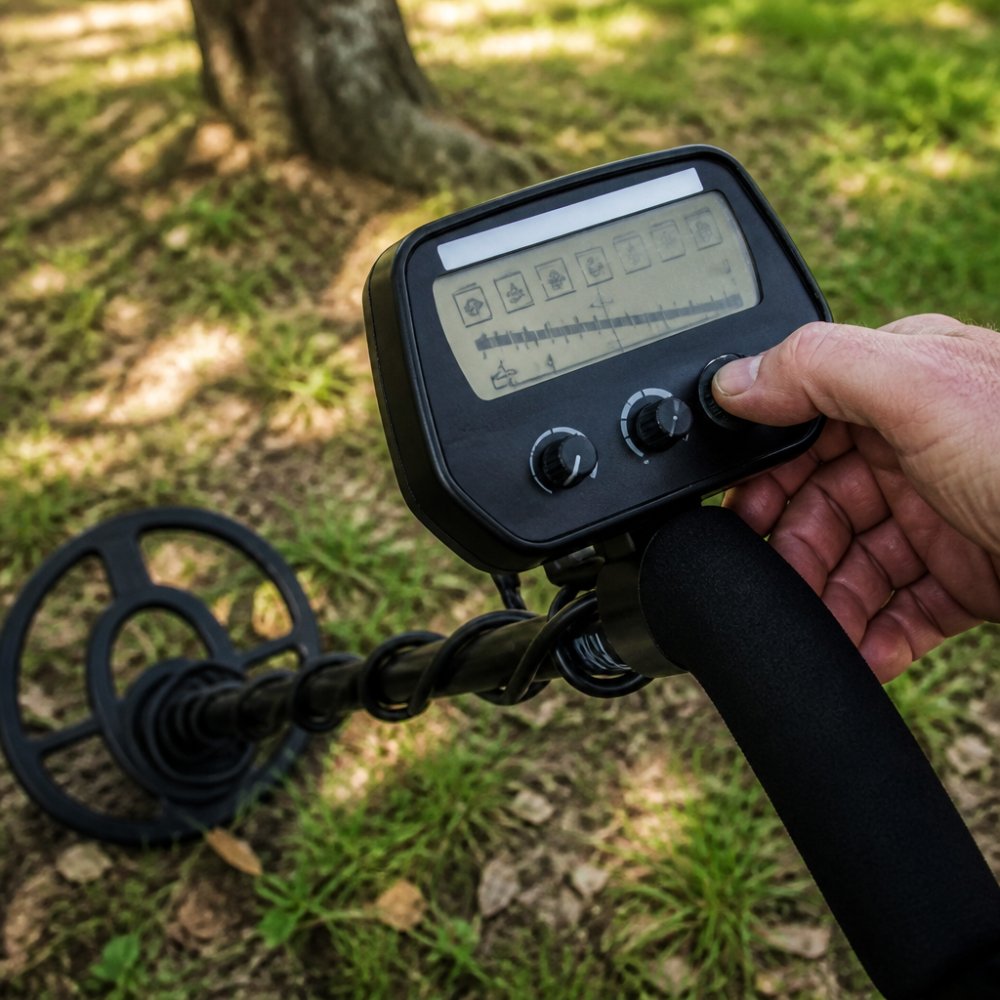
The Conductivity Scale Explained
Metal detectors rank targets on a conductivity scale, usually from 0 to 99. Iron and small foil sit near the bottom; coins, rings, and larger non-ferrous items climb toward the top. The scale represents conductive properties, not a catalog of objects. A silver dime and a silver ring can land near the same number because they share similar conductivity, two objects with the same reading are simply similar to the detector's electromagnetic field, not the same target.
How to Use a Metal Detector Target ID Chart
A metal detector target ID chart maps typical numbers to common objects, and it works best as a starting reference rather than a rulebook. Use it to build expectations, then let your ground conditions refine them. The chart below reflects common ranges on mid-to-high-end machines; your model may shift these values.
| Target | Typical VDI Range | Notes |
|---|---|---|
| Small iron / nails | 0-15 | Often rejected in coin modes |
| Foil and can slaw | 20-40 | Overlaps with small gold |
| Pull tabs | 45-60 | Notorious "gold range" impostors |
| Nickel | 55-65 | Varies by alloy and year |
| Copper pennies | 70-80 | Stable on most machines |
| Silver coins | 85-95 | High and consistent |
Common Targets and Their Typical Numbers
Numbers alone won't save you from digging trash. A common mistake is trusting the VDI while ignoring audio tones and signal stability. A clean, repeatable high tone with a steady number is worth digging; a scratchy tone with a number that flickers across twenty points usually means junk or a deep, corroded target. Combine number, tone, and depth indicator before you dig.
Why Do Metal Detectors Jump Numbers?
Jumping numbers happen when the detector's signal processing can't lock onto a stable target signature. Four causes cover most cases: ground mineralization, target orientation, depth, and nearby junk. Iron falsing, where corroded iron reads as a high conductor, is the most common frustration; target masking, where trash sits beside a good target, is second. Both distort the reading on screen.
Ground Mineralization and Hot Rocks
Mineralized soil contains iron oxides and salts that interfere with the electromagnetic field. Hot rocks, which are highly mineralized stones, can produce a positive signal that mimics a coin. In mineralized ground, VDI numbers drift upward or downward depending on the machine's ground balance. This is why a detector that reads perfectly in a park can behave badly on a mineralized field or a saltwater beach.
How to Stop Metal Detector False Signals
False signals come from three sources: incorrect ground balance, excessive sensitivity, and electromagnetic interference. Fix them in that order. Start with ground balance, because a detector that isn't balanced to the soil will produce unstable readings no matter what else you adjust.
- Perform a proper ground balance, either automatic or manual, before you start hunting.
- Reduce sensitivity levels in small steps until the chatter stops.
- Lower recovery speed if targets are deep and signals are weak.
- Switch to a single frequency if you're near power lines or other detectors.
- Use notch discrimination to reject the specific numbers your site's trash produces.
Ground Balance and Sensitivity Adjustments
Ground balance tells the detector what "normal" soil looks like so it can ignore it; sensitivity controls how much signal the machine amplifies. Push sensitivity too high and you amplify ground noise along with targets. Running two or three points below maximum often produces more stable numbers and better depth estimation than running wide open.
Multi-Frequency vs Single-Frequency VDI Behavior
Most guides treat VDI as if it works the same on every machine. It doesn't. The number you see is the output of a signal-processing chain, and the biggest variable is how many frequencies the detector transmits and compares at once.
How Single-Frequency Machines Build a VDI
A single-frequency detector transmits one sine wave, say 7 kHz, 13 kHz, or 18 kHz, and measures the phase shift and amplitude of the return signal. The phase shift tells the machine whether the target is resistive (small, thin, low-conductivity) or reactive (large, thick, high-conductivity). The processor maps that phase angle onto the 0-99 scale.
The problem is that phase angle alone is ambiguous. A deep silver dime and a shallow clad quarter can produce similar phase responses at one frequency, as can a folded piece of foil and a small gold ring. With no second data point to break the tie, the machine guesses, and the guess shows up as a jumpy or shifted number.
How Multi-Frequency Machines Build a VDI
Multi-frequency detectors transmit two or more frequencies simultaneously (or in rapid sequence) and compare the target's response across them. Different metals respond differently at different frequencies, the frequency response signature, the closest thing metal detecting has to a fingerprint.
On a Minelab Equinox or Manticore running Multi-IQ or Multi-IQ+, the processor compares simultaneous responses from multiple frequencies and weights them into a single target ID. That's why the same silver coin that reads 92 on one Equinox reads 92 on another, the multi-frequency signature is more consistent across machines than single-frequency phase readings.

What This Means in the Field
- Stability at depth. A deep target on a single-frequency machine often produces a compressed or shifted VDI because the return signal is weak. Multi-frequency machines average multiple weak signals rather than trusting one, so the ID stays consistent.
- Trash separation. In aluminum-heavy parks, multi-frequency distinguishes a folded pull tab from a small gold ring more reliably than a single-frequency machine, because the two diverge across the frequency spectrum even when they overlap at one frequency.
- Saltwater and mineralized ground. Single-frequency machines struggle on wet salt sand because the salt signal swamps the target signal. Multi-frequency machines use higher frequencies to see through the salt and lower frequencies to see the target, which is why beach hunters overwhelmingly run multi-frequency.
- The trade-off. Multi-frequency processing is slower and more power-hungry. In dense iron, some hunters still prefer a fast single-frequency machine because the recovery speed matters more than the ID accuracy.
When to Switch to Single Frequency
Most multi-frequency machines let you lock into one frequency. Do it when:
- You're near power lines, electric fences, or another detector, and the multi-frequency channel is picking up interference.
- You're hunting a specific target class where one frequency is known to perform better, higher frequencies hit small gold and thin silver harder, lower frequencies punch deeper on high-conductivity coins.
- You want maximum recovery speed in a nail-infested site.
Multi-IQ simultaneous multi-frequency technology overview
Coil Size and Its Impact on VDI Accuracy
Coil size is the most under-discussed variable in VDI accuracy. Hunters swap coils for depth and coverage, then blame the detector when numbers get jumpy, but the coil is doing exactly what physics says it should.
Why Coil Size Changes the VDI
A search coil is an antenna: its diameter determines the size of the electromagnetic footprint it projects and the volume of soil it interrogates on every sweep.
- A large coil (11-15 inches) projects a wide field, so it sees more targets at once and the processor must average their responses into a single VDI. In clean ground that's fine; in trash, the average of a coin and three nails flickers between the two.
- A small coil (5-8 inches) projects a narrow field, isolating one target at a time so the processor gets a clean signal. The VDI is more stable, but the coil can't reach as deep and covers less ground per sweep.
There's a second effect almost nobody talks about: the target-to-coil ratio. A coin under a 15-inch coil is a tiny fraction of the footprint, so the return signal is weak relative to the noise floor. The same coin under a 6-inch coil occupies a much larger fraction, producing a stronger, cleaner signal, and a more stable VDI. That's why a target reading 78 on a sniper coil can read 62 on a big coil at the same spot.
Matching Coil to Site, Not to Depth
The instinct is to run the biggest coil you own for maximum depth. That's usually wrong for VDI accuracy. Match the coil to the site:
| Site Condition | Best Coil Size | Why |
|---|---|---|
| Clean field, deep relics | 11-15 in | Coverage and depth; VDI stays stable because there's little trash to average in |
| Park with modern trash | 8-11 in | Balance of separation and depth |
| Nail-infested cellar hole | 5-8 in | Isolates targets; keeps VDI from averaging iron with non-ferrous |
| Wet salt beach | 11-15 in | Needs depth through wet sand; multi-frequency handles the salt |
| Bed of nails, modern coins | 5-6 in | Maximum separation; VDI stays locked on the coin |
The 'Jumpy VDI' Coil Test
If a target gives you an unstable number, the fastest diagnostic is to change coils, not settings:
- Mark the target's location with a golf tee or a pinch of dirt.
- Sweep it with your current coil and note the VDI spread (e.g., 45-62).
- Swap to a smaller coil and re-sweep the same spot.
- If the number tightens up (e.g., 58-61), the instability was coil-related, too much ground or too many nearby targets in the footprint. If it stays scattered, the target itself is ambiguous (deep, corroded, or on edge) and no coil will fix it.
Coil Size and Target Orientation
Coins and rings lying flat present their maximum surface area and produce the most stable VDI. The same target standing on edge presents a thin cross-section, and the VDI reads lower and jumpier, sometimes by 20 points or more. A smaller coil reduces this effect because the target occupies a larger fraction of the field, which is why relic hunters working plowed fields full of edge-standing coins favor mid-size coils over large ones.
Search coil selection guide for target separation and depth
Choosing the Right Detector for Accurate VDI
Accurate VDI starts with the machine. Higher-resolution target ID systems give you finer number steps and better separation between similar targets. Treasure Coast Detectors carries several models built for exactly this, and as a Google Top Tier Store, we back every sale with expert support before and after purchase.
For most hunters, the Minelab Equinox 900 is the sweet spot. Its 119-point high-resolution target ID gives you finer discrimination than entry-level machines, and Multi-IQ handles both single and multi-frequency work. If you want maximum performance, the Minelab Manticore with Multi-IQ+ is our top pick for serious hunters. For beginners, the Minelab X-TERRA PRO offers accurate target ID and manual frequency selection at an accessible price.


| Detector | Target ID | Best For |
|---|---|---|
| Minelab X-TERRA PRO | Standard resolution | Beginners, parks, shallow water |
| Minelab Equinox 700 | High resolution | All-around land and beach hunting |
| Minelab Equinox 900 | 119-point high resolution | Serious coin and relic hunters |
| Minelab Manticore | Multi-IQ+ | Maximum depth and accuracy |
A machine with coarse discrimination steps will always jump more than one with fine resolution.
Frequently Asked Questions
What does VDI mean in metal detecting?
VDI stands for Visual Discrimination Indicator. It is the numerical value your detector assigns to a target based on its conductivity. Lower numbers typically indicate ferrous metals like iron, while higher numbers indicate non-ferrous metals like silver or copper. The scale varies by manufacturer, but most machines use a range from 0 to 99. Learning your detector's specific VDI scale is the first step to identifying targets before you dig.
Why does my metal detector show different VDI numbers for the same target?
Several factors cause VDI numbers to shift for the same target. Target depth, orientation, and nearby trash all affect the signal. Ground mineralization and moisture levels also play a role. If you sweep a coin from different angles, the VDI may change slightly. This is normal. To get consistent readings, sweep slowly and from multiple directions. A detector with advanced signal processing, like the Minelab Equinox 900, provides more stable numbers in challenging conditions.
How do I distinguish between trash and treasure using VDI?
Use a target ID chart as a reference. Most pull tabs and aluminum foil fall in the low-to-mid range (around 10-40 on many detectors), while coins like pennies, dimes, and quarters read higher (typically 60-90). However, VDI alone is not foolproof. Combine VDI with audio tones and target size. A strong, repeatable signal with a consistent VDI is more likely to be treasure. If the number jumps around wildly, it is often trash or a deeply buried irregular object.
Do VDI numbers change based on soil conditions?
Yes, soil conditions significantly impact VDI numbers. Highly mineralized soil, common in areas with iron oxide or salt, can cause VDI numbers to shift or become erratic. Wet sand at the beach is another challenge. To compensate, use ground balance and consider a multi-frequency detector. The Minelab Manticore with Multi-IQ+ technology handles mineralized ground well, providing more accurate target ID. Always ground balance before hunting in new soil.
Reading detector VDI well takes practice, patience, and the right equipment. If your current machine keeps feeding you jumpy numbers and false signals, the fix may be a detector built for accurate target identification. Treasure Coast Detectors offers expert guidance, curated bundles, and support before and after the sale to help you find the right machine for your ground and your goals. Get started with Treasure Coast Detectors and turn those numbers into real finds.
Leave a comment